
The product for continuous operation
SaQura CertWatch keeps watch before anything fails.
The certificate watchdog for your own server: it checks your domains and services from the outside every day, warns you well before anything expires and proves with sealed reports that watch was kept. Your findings and inventory stay on your server.
Warns before things fail
Alert levels 30/14/7/1 days before expiry (configurable) and reminders until it's fixed. The all-clear comes only once the new certificate is actually being served.
Renews on request
CertWatch can renew certificates itself. The CertWatch Agent installs the new certificate on your web server on Windows or Linux. CertWatch then checks from the outside that it is actually being served. You switch renewal on per tenant; it is off by default. It supports you in renewing in time, but it does not take the task over.
Told when something goes wrong
If a renewal still does not succeed after several attempts, CertWatch notifies your recipients by e-mail.
Checks more than the expiry date
Grades A to F with reasons in plain sentences: the certificate chain exactly as your server serves it, revocation status, and protocol and key quality, for mail servers and arbitrary ports too. Whatever cannot be checked, CertWatch reports explicitly as unchecked rather than assuming a result.
Sealed reports
Every report is sealed: any auditor can verify independently whether it was changed afterwards, without CertWatch.
No one has to log in
Alerts and reports arrive by e-mail (German, English, Japanese), expiry dates as a calendar subscription, and your systems connect via webhooks and a read API.
Tenants and your own brand
End customers with their own recipients and reports under your logo, built for IT service providers and MSPs.
Inventory discovery via public certificate logs
Suggests public certificates of your domains that are not recorded in any management system, and reports when new ones appear. To do this, CertWatch queries the public certificate logs for the domain name.
Requirements for automatic renewal: certificates from Let's Encrypt, DNS at Cloudflare or Azure DNS, and an nginx web server on Linux or IIS on Windows.
Start without a license: trial mode monitors up to 3 addresses, with at most two tenants (the default tenant and one test tenant). In trial mode, renewal runs only as test runs with test certificates that are not suitable for production. Download the package, set a password, try it.
Buy
Self-Host
Your server, your data
- All checks, unlimited addresses
- Sealed, verifiable reports
- Tenants, your own brand, webhooks, read API
- License file by e-mail, updates during the term
- Automatic certificate renewal included (agent for Windows and Linux)
- Server: Windows · macOS · Linux. Agent: Windows · Linux.
MSP monthly
For service providers: per managed tenant
Up to 10 tenants €69 · each additional €6 · from 20 tenants unlimited for €129. All prices per month, excl. VAT.
- Every check, unlimited addresses, for any number of end customers
- Tenants with their own recipients and reports under your brand
- The license renews itself, no more license files to install
- Automatic certificate renewal included
- Change the quantity any time in the customer portal, cancel monthly
Special terms or questions? Contact us
Self-Host: annual subscription that renews automatically and can be cancelled to the end of each term. MSP: monthly subscription, cancellable to the end of each billing month. Prices excl. VAT.
When you install the license file under ‘License’ and when you first switch renewal on for a tenant, you confirm in the program with a tick box: “I agree to the License Agreement (version 2.0).” You can read the text there. Trial mode without a license file asks for no tick box; there the agreement applies by installing the software.
CertWatch License Agreement · CertWatch privacy notice · CertWatch Agent privacy notice
Also as an iPhone app
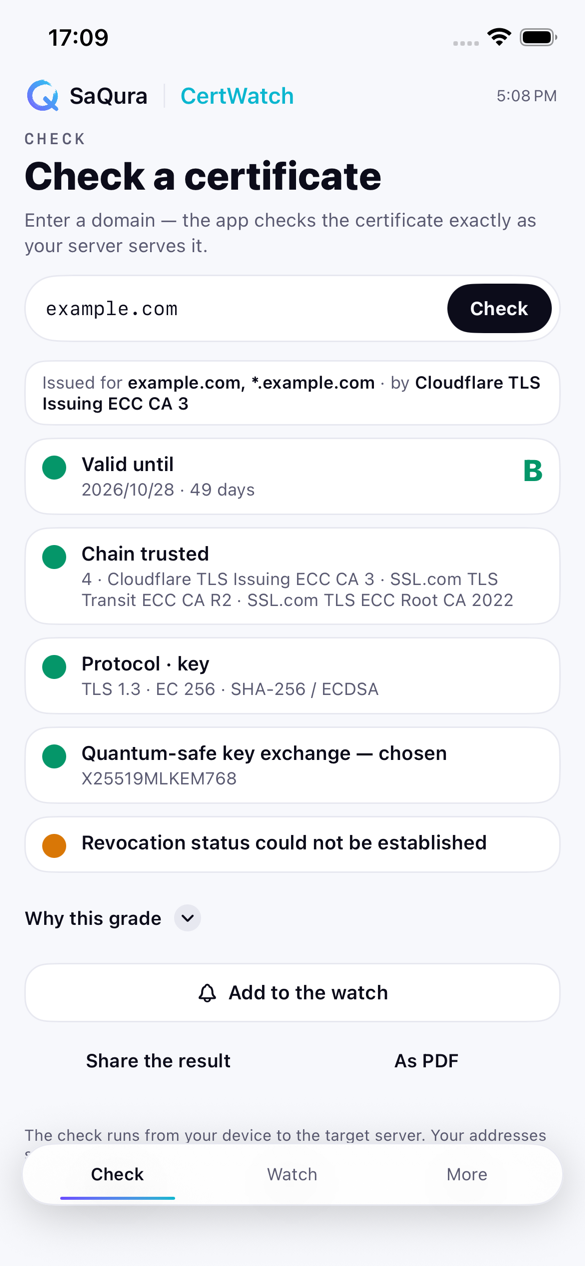
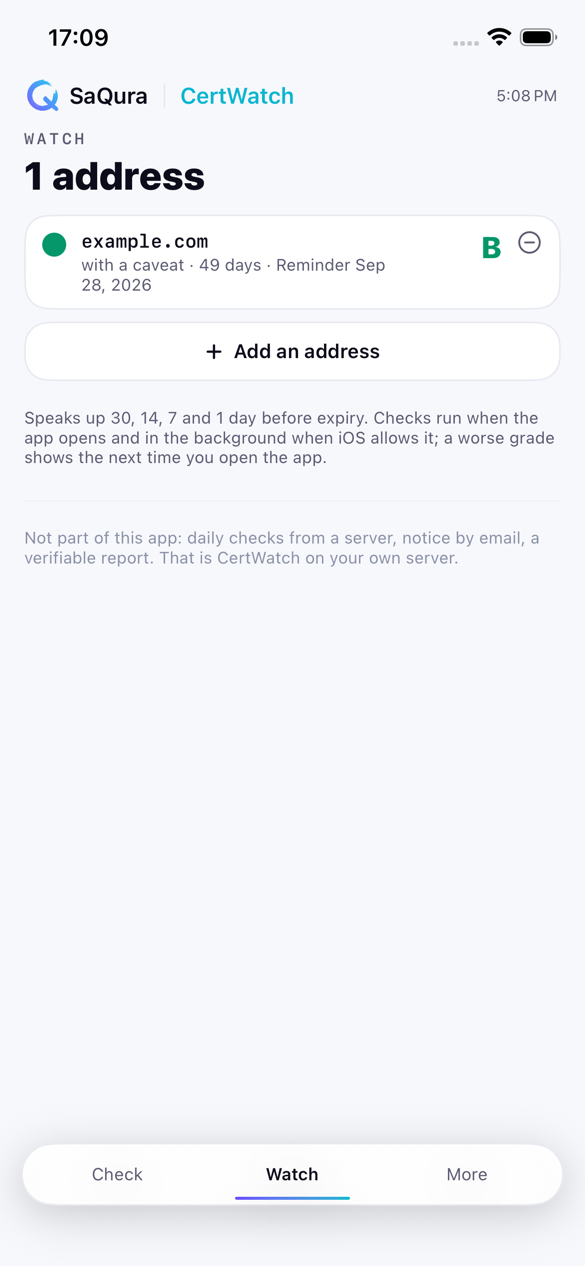
SaQura CertWatch for iPhone checks any address the way a browser would see it and shows the grade A to F with its reasons, on the go and without an account. Up to three addresses stay under watch, with alerts 30, 14, 7 and one day before expiry; a one-time in-app purchase extends the list to 25.
Free · iOS 17 or later · the same grading as the watchdog on your server

Renewing your subscription
CertWatch is an annual subscription: the subscription renews automatically, the new license file arrives by e-mail every year, and you install it under ‘License’. If a license runs out (for example after cancellation), CertWatch keeps working as before for 14 days. After that it continues the checks and alerts for the addresses already registered; we tolerate this free of charge until we withdraw the tolerance in text form with 14 days' notice (License Agreement Section 2.3; the text is included in every package as LICENSE.txt). Automatic certificate renewal, updates, support and new tenants are no longer included. Your data is preserved. To reactivate, simply purchase again. In all licensed plans, CertWatch asks KyotoTech once a day by default whether a renewed, changed or revoked license exists, and installs a renewed license itself. Transmitted are the product identifier, a checksum of the license number, the issue date of your license and your setting for license e-mails, but no addresses, results or reports. Trial mode does not ask. You can switch the check off under ‘License’ and keep receiving the license file by e-mail.
Download
Current version 1.3.0, with license-free trial mode (up to 3 addresses, at most two tenants). After downloading, compare the SHA-256 checksum:
Windows (11 or Server 2016–2025, 64-bit)
SaQura-CertWatch-Windows.zip · 78.0 MB
SHA-256 d25c6abe7cfcbfab656fe37a4485dbd9c1259dfba1c3b9dfb70e383f7354bda0
macOS (Apple silicon, macOS 12+)
SaQura-CertWatch-macOS.dmg · 51.1 MB
SHA-256 56855ea2ab1becf31ce23cb6326b39634b96d1d243c7bce3ecc6b45c04aa06ee
Linux x86-64
SaQura-CertWatch-Linux.tar.gz · 46.8 MB
SHA-256 936aee0b8df9687e7aea0d91e0eb103979fe5c22e42216e3684ac1aa31b098e5
Linux arm64
SaQura-CertWatch-Linux-arm64.tar.gz · 44.8 MB
SHA-256 24e52ff97b3a8612dcd7039c55f5c365df11c1cb7dc5484395ae0213c32edea8
Compute the checksum: macOS/Linux shasum -a 256 <file> · Windows certutil -hashfile <file> SHA256
The Windows packages are signed (KyotoTech LLC); the macOS package is notarized by Apple. The macOS version runs on Apple-silicon Macs only and is fine for trying it out and for the desk; for continuous operation we recommend Linux or Windows. The agent is available for Windows and Linux.
CertWatch Agent (for automatic renewal, on the target server)
Agent Windows (64-bit)
SaQura-CertWatch-Agent-Windows.zip · 30.8 MB
SHA-256 55f78753330aebbfef322d616a67faf3bf92bd4f69352896c733284f4cae3cea
Agent Linux x64
SaQura-CertWatch-Agent-Linux.tar.gz · 30.8 MB
SHA-256 430ee66f7bee59fbab560bf06cfc8f9c72b55a5a4a50d3cdb8e4a57ea79ff266
Agent Linux arm64
SaQura-CertWatch-Agent-Linux-arm64.tar.gz · 29.2 MB
SHA-256 bdd3f74e804de22a0d41c10e15918fb7206c7b8383aa878007db13ebb48009b2
You only need the agent if you use automatic renewal. Update CertWatch first, then the agents. Back up the CertWatch data folder before every update.
Firewall: For automatic renewal, allow inbound connections from your agents' networks on the computer running CertWatch; the guides name the port. The package does not create this rule itself.
The agent connects only to your own CertWatch instance, not to KyotoTech, the certificate authority or the DNS provider. Your certificate's private key stays on the target server.
CertWatch License Agreement · CertWatch privacy notice · CertWatch Agent privacy notice
Detailed guides come with your license.