
The product for continuous operation
SaQura CertWatch watches and renews before anything fails.
An expired certificate takes down your website, mail or API. CertWatch monitors your certificates, renews them and installs the new ones itself, on your server.
Automatic renewal for Let's Encrypt. More providers to follow.
Recommended for most companies: Self-Host (your server, your data)
Renews by itself
CertWatch renews certificates from Let's Encrypt automatically. The CertWatch Agent installs the new certificate on your web server on Windows or Linux. CertWatch then checks from the outside that it is actually being served.
Warns before things fail
Alert levels 30/14/7/1 days before expiry (configurable) and reminders until it's fixed. The all-clear comes only once the new certificate is actually being served.
Told when something goes wrong
If a renewal still does not succeed after several attempts, CertWatch notifies your recipients by e-mail.
Checks more than the expiry date
Grades A to F with reasons in plain sentences: the certificate chain exactly as your server serves it, revocation status, and protocol and key quality, for mail servers and arbitrary ports too. Whatever cannot be checked, CertWatch reports explicitly as unchecked rather than assuming a result.
Sealed reports
Every report is sealed: its checksum can be recalculated and is recorded in the continuous audit chain on your server.
No one has to log in
Alerts and reports arrive by e-mail (German, English, Japanese), expiry dates as a calendar subscription, and your systems connect via webhooks and a read API.
Tenants and your own brand
End customers with their own recipients and reports under your logo, built for IT service providers and MSPs.
Inventory discovery via public certificate logs
Suggests public certificates of your domains that are not recorded in any management system, and reports when new ones appear. To do this, CertWatch queries the public certificate logs for the domain name.
Requirements for automatic renewal: certificates from Let's Encrypt, DNS at Cloudflare or Azure DNS, and an nginx web server on Linux or IIS on Windows.
Buy
Self-host licence and packages for service providers: prices and purchase are on our pricing page.
View packagesWhen you install the license file under ‘License’ and when you first switch renewal on for a tenant, you confirm in the program with a tick box: “I agree to the License Agreement (version 2.0).” You can read the text there. In trial mode without a license file, monitoring asks for no tick box. Only when you switch on automatic renewal do you agree once to the License Agreement, because CertWatch then accesses your servers.
CertWatch License Agreement · CertWatch privacy notice · CertWatch Agent privacy notice
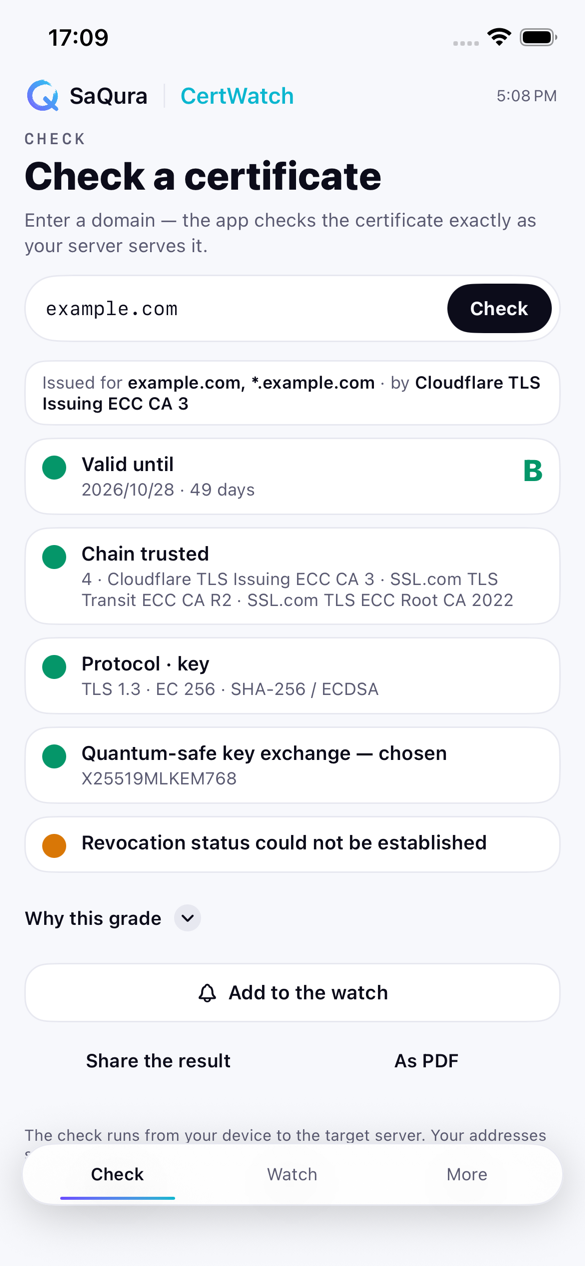
Also as an iPhone app
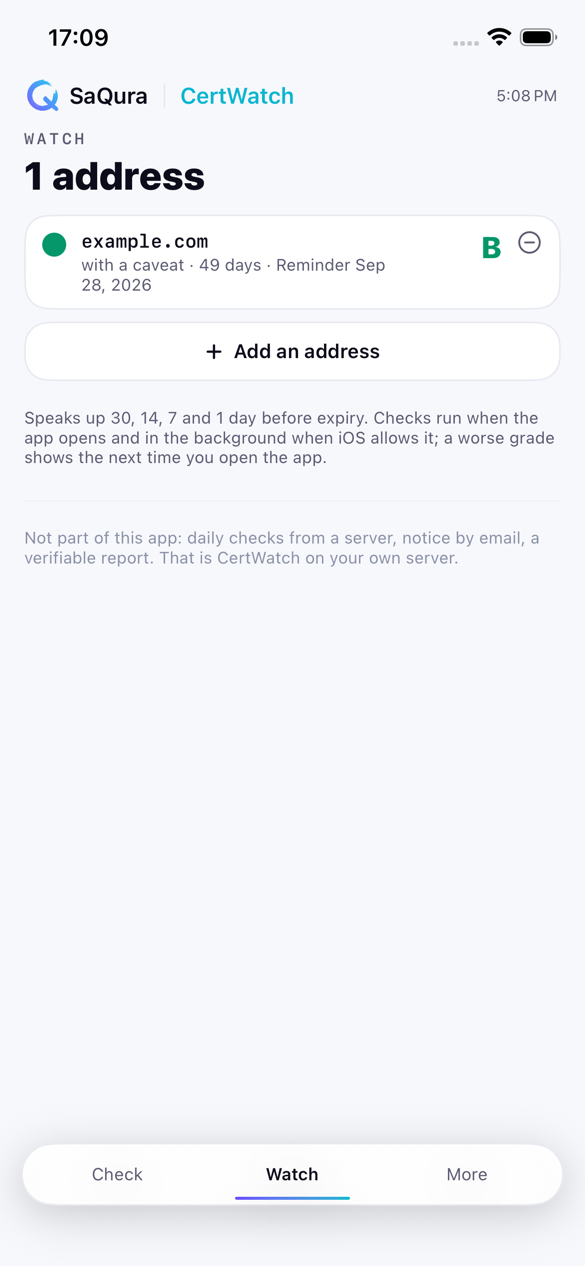
SaQura CertWatch for iPhone checks any address the way a browser would see it and shows the grade A to F with its reasons, on the go. Up to three addresses stay under watch, with alerts 30, 14, 7 and one day before expiry; a one-time in-app purchase extends the list to 25.
iOS 17 or later · the same grading as the watchdog on your server

Renewing your subscription
CertWatch is an annual subscription: the subscription renews automatically, the new license file arrives by e-mail every year, and you install it under ‘License’. If a license runs out (for example after cancellation), CertWatch keeps working as before for 14 days. After that it continues the checks and alerts for the addresses already registered; we tolerate this free of charge until we withdraw the tolerance in text form with 14 days' notice (License Agreement Section 2.3; the text is included in every package as LICENSE.txt). Automatic certificate renewal, updates, support and new tenants are no longer included. Your data is preserved. To reactivate, simply purchase again. In all licensed plans, CertWatch asks KyotoTech once a day by default whether a renewed, changed or revoked license exists, and installs a renewed license itself. Transmitted are the product identifier, a checksum of the license number, the issue date of your license and your setting for license e-mails, but no addresses, results or reports. Trial mode does not ask. You can switch the check off under ‘License’ and keep receiving the license file by e-mail.
Download
You receive the download together with your license after purchase.
Already purchased? Request your download links
Windows (11 or Server 2016–2025, 64-bit) · macOS (Apple silicon, macOS 12+) · Linux x86-64 · Linux arm64
The Windows packages are signed (KyotoTech LLC); the macOS package is notarized by Apple. The macOS version runs on Apple-silicon Macs only and is fine for trying it out and for the desk; for continuous operation we recommend Linux or Windows. The agent is available for Windows and Linux.
CertWatch Agent (for automatic renewal, on the target server)
You only need the agent if you use automatic renewal. Update CertWatch first, then the agents. Back up the CertWatch data folder before every update.
Firewall: For automatic renewal, allow inbound connections from your agents' networks on the computer running CertWatch; the guides name the port. The package does not create this rule itself.
The agent connects only to your own CertWatch instance, not to KyotoTech, the certificate authority or the DNS provider. Your certificate's private key stays on the target server.
CertWatch License Agreement · CertWatch privacy notice · CertWatch Agent privacy notice
Detailed guides come with your license.